Building flows
All data pipelines are built in your browser using a visual canvas called a Flow. It's easy to use and is self-documenting thanks to its visual nature.
Flows and Blocks
Flows are your data pipelines, composed of interncononected Blocks.
- Each Block performs one focused task only
- Blocks are extremely easy to use
- They can connect to anything
- They can perform any task
- You can build your own
Custom Blocks
Ziggy's plugins allow you to build your own block collection that do everything you need to connect to any system, including your own platform.
How Ziggy worksVisual Debugger
Ziggy has a great visual debugger. Step through the flow. Supply with test data
How Ziggy worksLaunching flows with API calls
Each flow can be run from the Ziggy UI or with an API call. Pass in data that should be processed by the flow.
How Ziggy worksExecution History
You have the option of storing successful and/or failed flow executions to a history log. These can then be viewed in a browser.
You can even open up failed flows to see where and why they failed.
How Ziggy worksDevelopment & Production
Create development and production Connection and Secret configurations then toggle between these in your flow for testing or making changes
Alternatively, use a dev or staging server (these are free) and transfer flows between them.
Learn more
Flows and Blocks
Flows are your data pipelines, composed of interncononected Blocks.
- Each Block performs one focused task only
- Blocks are extremely easy to use
- They can connect to anything
- They can perform any task
- You can build your own
Custom Blocks
Ziggy's plugins allow you to build your own block collection that do everything you need to connect to any system, including your own platform.
How Ziggy worksVisual Debugger
Ziggy has a great visual debugger. Step through the flow. Supply with test data
How Ziggy worksLaunching flows with API calls
Each flow can be run from the Ziggy UI or with an API call. Pass in data that should be processed by the flow.
How Ziggy worksExecution History
You have the option of storing successful and/or failed flow executions to a history log. These can then be viewed in a browser.
You can even open up failed flows to see where and why they failed.
How Ziggy worksDevelopment & Production
Create development and production Connection and Secret configurations then toggle between these in your flow for testing or making changes
Alternatively, use a dev or staging server (these are free) and transfer flows between them.
Learn moreEdges
Edges are the lines that connect the blocks in your flow. Data flows along these then the flow executes.
Edge inspection
Edges are the lines that join blocks. Just click on an edge bubble to view the data when debugging.
Learn moreValidate, Transform, Map
The Edge popup dialog also lets you
- Validate - ensure that data flowing into the edge confirms to your rules
- Transform - perform data mappings of recalculations using Javascript snippets
- Map - use an AI supported mapping dialog to perform simple field mappings
- You can also perform all of the above using the AI supprted Javascript block
Edge inspection
Edges are the lines that join blocks. Just click on an edge bubble to view the data when debugging.
Learn moreValidate, Transform, Map
The Edge popup dialog also lets you
- Validate - ensure that data flowing into the edge confirms to your rules
- Transform - perform data mappings of recalculations using Javascript snippets
- Map - use an AI supported mapping dialog to perform simple field mappings
- You can also perform all of the above using the AI supprted Javascript block
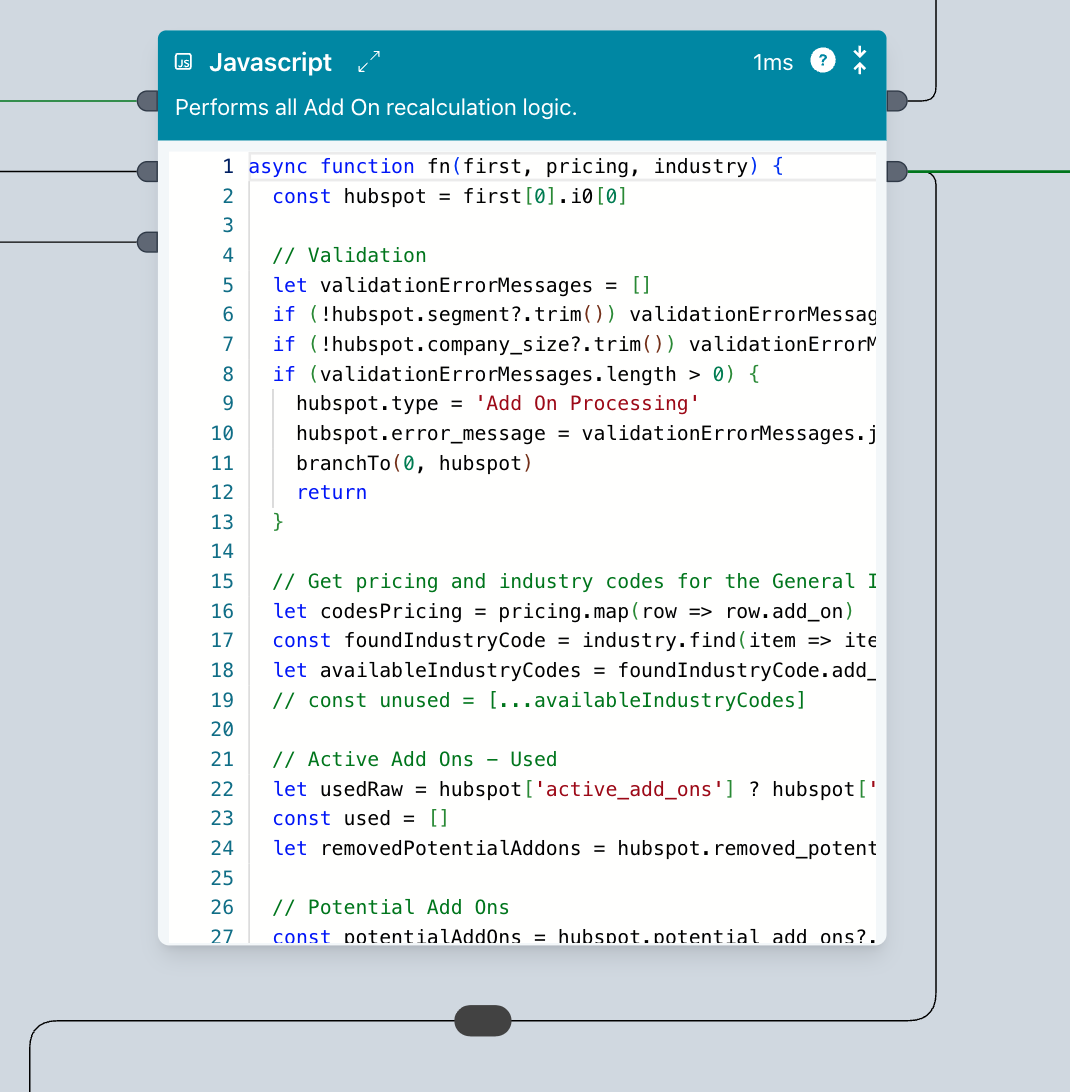
AI supported Javascript block
This is a "do anything" block. You don't need to be a developer to use the Javascript block. It's fully AI supported letting you generate code and explain it, too.
And it uses the data from the incoming edge to help produce the best possible results when developing.
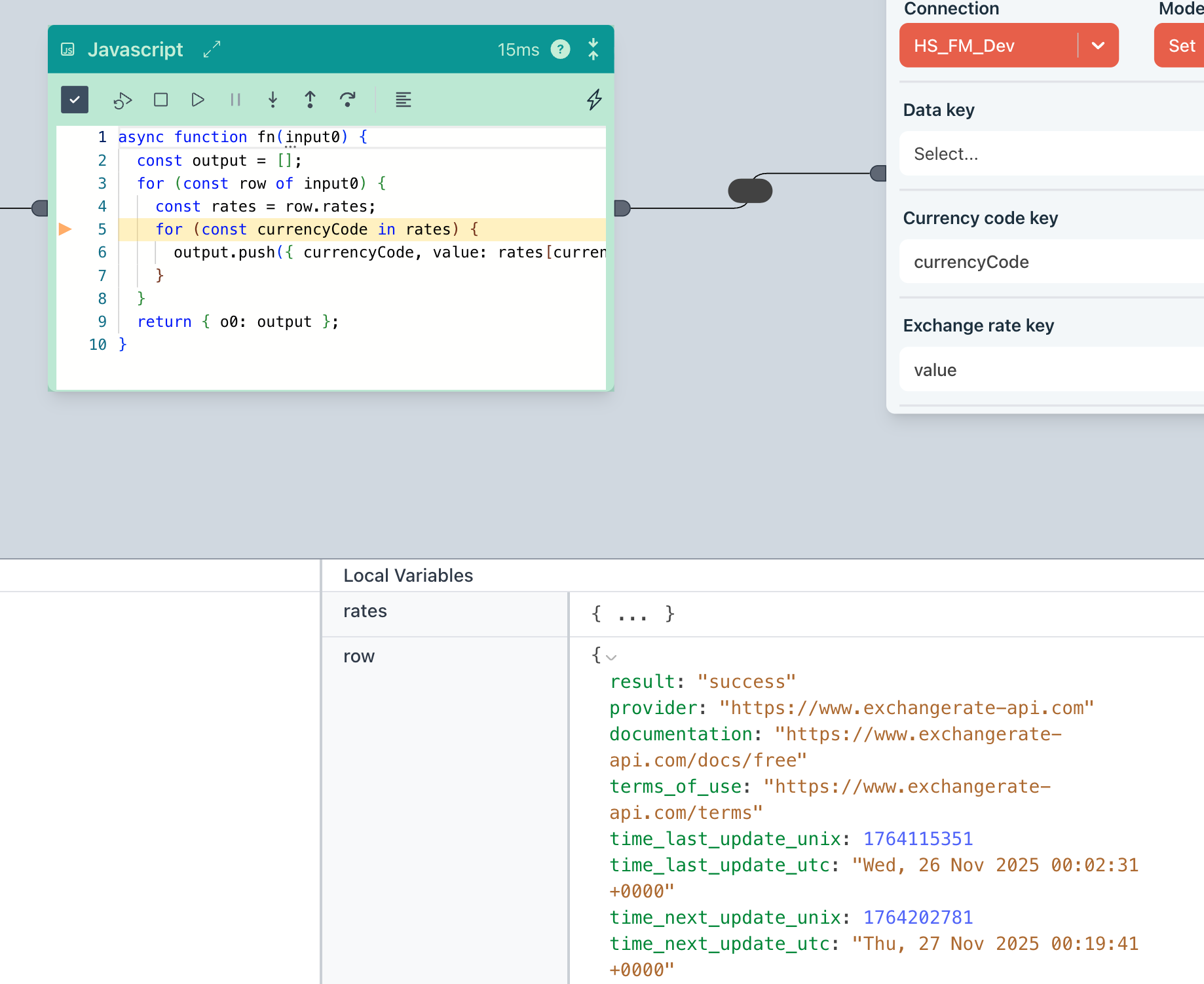
Debugger
Comes with a fully integrated debugger, letting you step through your code and inspect variables
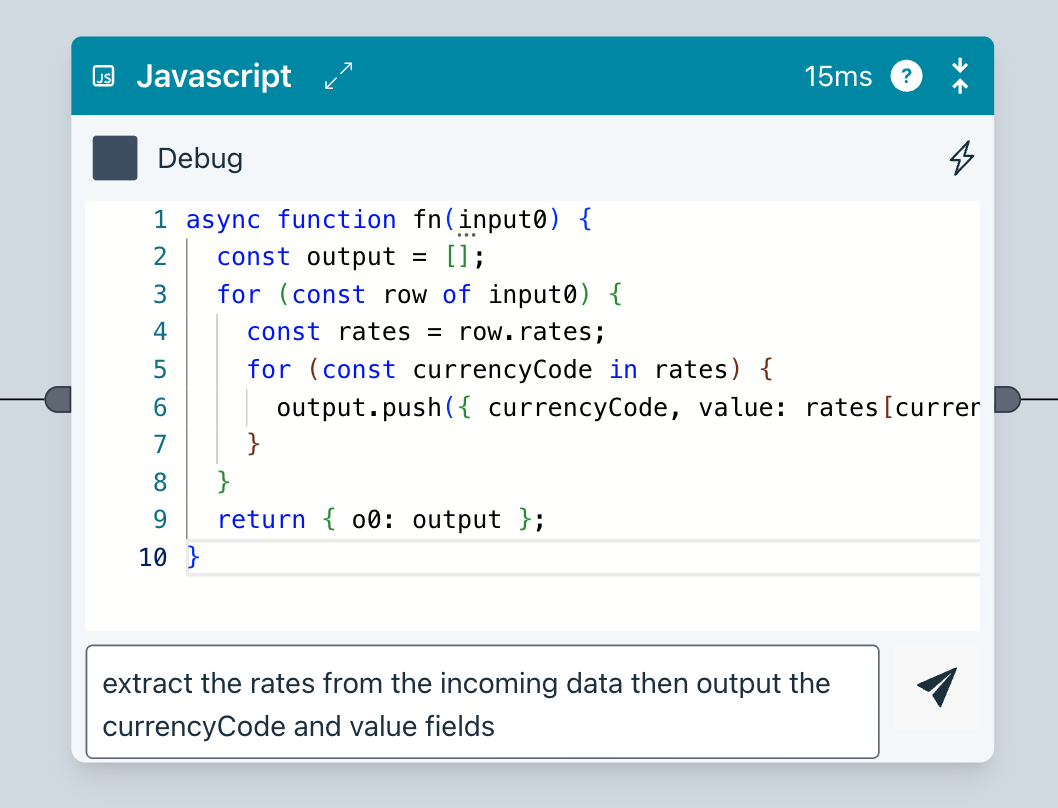
AI Code generation
Ziggy will generate code from your instructions. It also understands the data in your flow to ensure it has the full context.
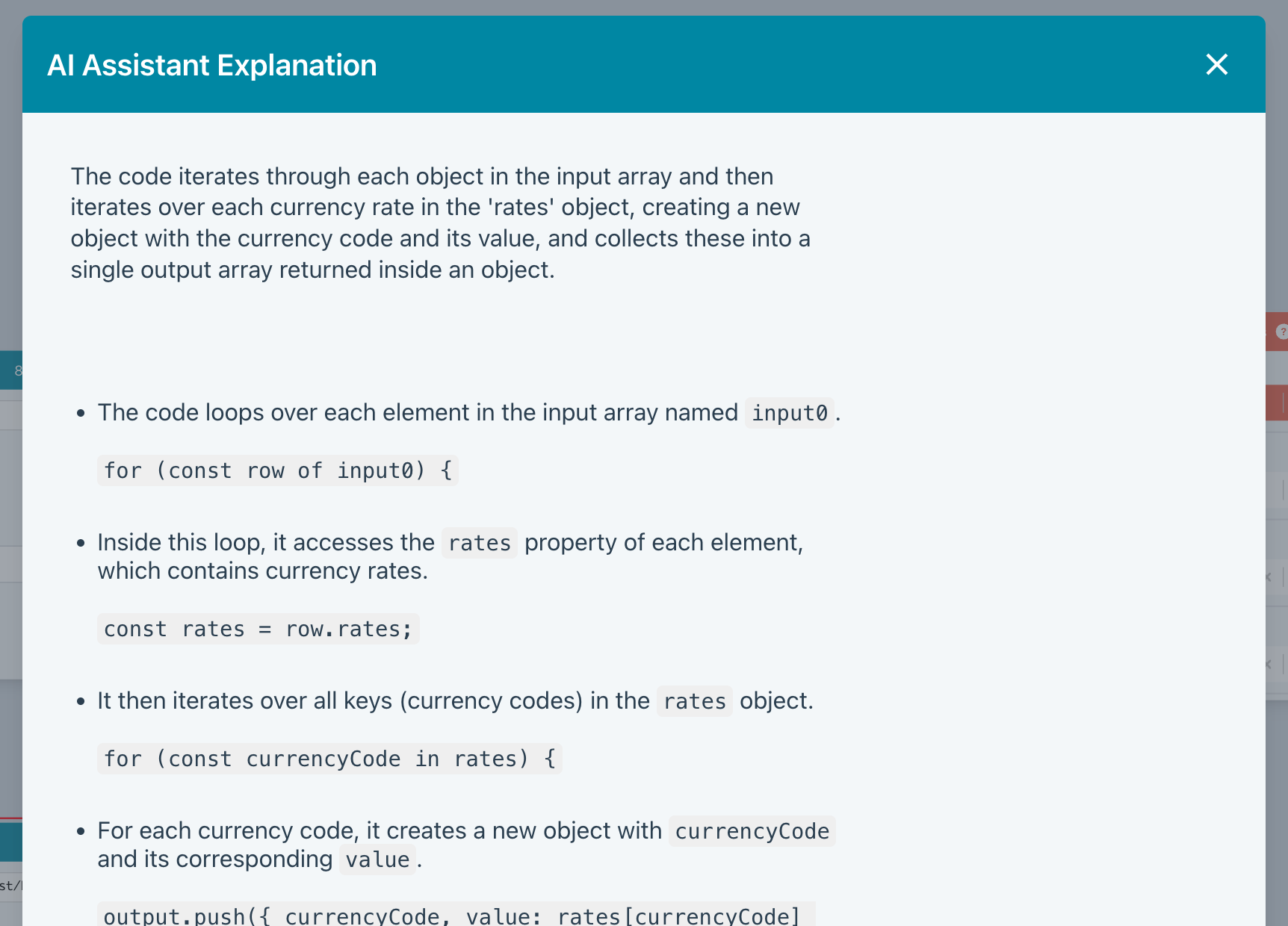
AI Explain
Not sure what's going on? AI Explain will put you out of your misery.
Rate limiting, batching, data store and scheduling
Some more powerful features available out-of-the-box.
Rate Limiting
Create special rate limit queues that ensure you don't exceed any 3rd party platform limits.
Batching
When reading or writing large numbers of records, making batch calls increases throughput significantly and ensure you don't overload a platform or database.
This is all baked into Ziggy so flows are both fast and safe.
How Ziggy worksData Store
Ziggy comes with a fast internal data store. This is a great place to write data for processing later or in other flows.
You can also use external stores (DynamoDB, ElastiCache, Cosmos) and regular databases.
How Ziggy worksScheduler
Ziggy has an integrated scheduler that launches flows. For example, schedule daily reads from SFTP servers or update a data warehouse every hour.
How Ziggy worksRate Limiting
Create special rate limit queues that ensure you don't exceed any 3rd party platform limits.
Batching
When reading or writing large numbers of records, making batch calls increases throughput significantly and ensure you don't overload a platform or database.
This is all baked into Ziggy so flows are both fast and safe.
How Ziggy worksData Store
Ziggy comes with a fast internal data store. This is a great place to write data for processing later or in other flows.
You can also use external stores (DynamoDB, ElastiCache, Cosmos) and regular databases.
How Ziggy worksScheduler
Ziggy has an integrated scheduler that launches flows. For example, schedule daily reads from SFTP servers or update a data warehouse every hour.
How Ziggy worksAlerting, Secrets, Connections, Auditing
A few more powerful features available out-of-the-box.
Alerts and Logging
Configure email and SMS alerts, which come as digests on a schedule you choose.
Secrets Management
Store and manage your secrets, fully encrypted, in Ziggy and reference from your flows. You can optionally configure a development/production pair.
How Ziggy worksConnections
Store and manage your connection parameters and reference from your flows. You can optionally configure a development/production pair.
How Ziggy worksAlerts and Logging
Configure email and SMS alerts, which come as digests on a schedule you choose.
Secrets Management
Store and manage your secrets, fully encrypted, in Ziggy and reference from your flows. You can optionally configure a development/production pair.
How Ziggy worksConnections
Store and manage your connection parameters and reference from your flows. You can optionally configure a development/production pair.
How Ziggy worksPerformance Features
Ziggy lets you tune, monitor and manage performance in various ways. There's even an internal load tester.
Performance tuning
Tune number of parallel executing flows, system queue sizes, Javascript worker pool size. Then use the load tester to see the results. Rinse and repeat.
Monitor
Ziggy has two monitoring screens. One seeing currently executing flows and another for key server resource levels.
Load Testing
Use Ziggy's internal load tester or use your own for more varied tests.